
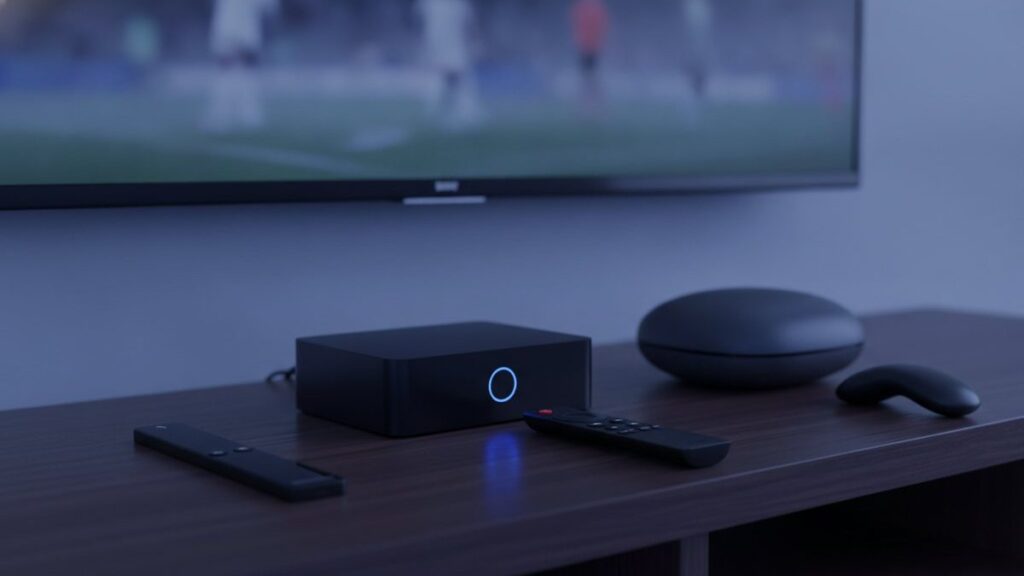
The best IPTV box for most people is a Fire TV Stick 4K Max. Before buying anything, check what is already in the room: a smart TV made since 2016, an existing streaming stick or a laptop will get you watching tonight for nothing at all.
The short answer
Buy nothing until you have tested the service on hardware you already own. If you then decide you need a device, a Fire TV Stick 4K Max covers the great majority of homes comfortably. Spend more than that only for a main television you watch every single day.
What is the best IPTV box in 2026?
The Fire TV Stick 4K Max suits most homes: inexpensive, capable of 4K, and it permits sideloading so you can install any player you like. For a main television used every day, a Formuler Z11 Pro gives a better remote and a faster guide, at roughly three times the price.
The reason the stick wins is not raw performance. It is that Amazon allows software from outside its own store. TiViMate, the player most people eventually move to, is not in Amazon’s catalogue, so the ability to sideload decides which devices are genuinely useful.
| Device | Typical price | Runs TiViMate | Verdict |
|---|---|---|---|
| Fire TV Stick 4K Max | $30 – $60 | Yes, sideloaded | The default answer |
| Chromecast with Google TV | $40 – $50 | Yes, from Play Store | No sideloading needed |
| Generic Android box | $40 – $90 | Usually | Variable quality |
| Nvidia Shield TV Pro | $150 – $200 | Yes | Fastest, best audio |
| Formuler Z11 Pro | $140 – $180 | Yes, plus MyTVOnline | Best remote and guide |
| MAG 5xx | $120 – $160 | No, portal-based | Cable-box simplicity |
| Roku | $30 – $100 | No | Avoid for IPTV |
What is the best streaming device for IPTV in the USA?
The Fire TV Stick 4K Max, for the same reasons it wins elsewhere. It lists around $60 but is discounted heavily and often, frequently reaching $30 to $40 during sales events. It supports Wi-Fi 6E, carries 16GB of storage, and runs a 2.0 GHz quad-core processor.
Wi-Fi 6E matters more than the specification sheet suggests, though only if your router supports it. The 6 GHz band is far less congested than 2.4 and 5 GHz, and congestion at peak hours is the single most common cause of evening buffering.
Storage matters for a different reason. Sideloaded players, their cache and a large channel list consume space quickly, and a device that runs out begins misbehaving in ways that look like a service fault.
How much does an IPTV box cost?
Between nothing and about $200, depending on what you already own. Most households need spend nothing at all. A Fire TV Stick costs $30 to $60, a generic Android box $40 to $90, and purpose-built Formuler or MAG hardware $120 to $180 for a noticeably better remote and interface.
Set that against the subscription itself. A year of service runs $69 on one device, so a $180 box costs more than two and a half years of viewing. On a main television used every evening that can be justified. On a bedroom set it plainly cannot.
Test before you spend anything on hardware. The free 24-hour trial runs on the phone or laptop you already own, so you can judge the service first.
What equipment do I need for IPTV?
A device capable of running an app, an internet connection of roughly 25 Mbps for 4K, and a subscription. That is the entire list. There is no dish, no cable box, no installer visit and no monthly equipment rental of the kind cable companies add to the bill.
If you buy exactly one accessory, make it an Ethernet adapter costing around $12 rather than a faster box. Most stuttering is a network problem wearing a hardware costume, and a wired connection removes the commonest cause outright. Our Firestick guide covers where the adapter goes.
What’s the best IPTV box to buy?
Buy nothing until you have tested the service on hardware you already own. Then buy a Fire TV Stick 4K Max if the television is old or slow, and add an Ethernet adapter. Around $50 total solves the great majority of cases without further spending.
Move up only for a specific reason. The Nvidia Shield is worth it if you care about lossless audio, since it passes through Dolby Atmos, DTS-HD Master Audio and DTS:X without downmixing or recompressing. The Formuler is worth it if the remote and guide matter to you daily.
Is a Firestick good for IPTV?
Yes, and it is the most common choice by a wide margin. It is inexpensive, handles 4K on the Max model, and crucially allows sideloading, so TiViMate and IPTV Smarters can both be installed. Avoid the non-4K Lite, which caps at 1080p and defeats the point of paying for Ultra HD feeds.
The one genuine drawback is that sideloading takes about five minutes and involves the Downloader app, which puts some people off. It is not technical, and every menu is named in our Firestick walkthrough, but it is a step the Chromecast does not require.
Can you get IPTV on Roku?
Only partly, which is why we advise against it. Roku permits no sideloading, and its channel store carries almost none of the established players. Screen mirroring from a phone works as a fallback but makes a poor daily experience, tying up the phone for the duration.
Roku hardware is genuinely good for mainstream streaming, so the assumption that it will handle IPTV equally well is reasonable. It simply does not. If you already own one, our Roku guide covers the two methods that work. If you are choosing hardware now, buy something else.
What should I look for in an Android box?
Insist on at least 2 GB of RAM, certified Android TV rather than a phone build, and an Ethernet port. Choose a named brand, because unbranded boxes frequently ship modified firmware of unknown origin. Ignore core counts entirely: four fast cores beat eight slow ones every time.
For reference, the Formuler Z11 Pro pairs a Realtek RTD1319C with 2 GB of DDR4 and 16 GB of storage on Android 11, and decodes AV1, HEVC and H.264 at 4K60. The Pro Max variant doubles memory to 4 GB and storage to 32 GB. Manufacturer specifications are published on Formuler’s own site.
AV1 support is worth checking on any box you consider. It is becoming the default codec for high-efficiency streaming, and hardware that cannot decode it will fall back to software decoding, which is exactly where cheap boxes stutter.
Do I need a 4K box if I have a 4K TV?
Yes, if you want 4K streams. A 4K television only displays what it is given, and a 1080p streaming device will send it 1080p regardless of the panel. The television will upscale, which looks better than nothing but is not the same as a genuine Ultra HD feed.
Check three things together: the device outputs 4K, the connection sustains around 25 Mbps, and the channel actually exists in 4K. Our 4K page lists which feeds are genuinely Ultra HD rather than upscaled and relabelled.
Will my box work with SmixIPTV?
Any device on this page will, because accounts are issued as standard Xtream Codes logins that every major player reads natively. There is nothing proprietary to install and no hardware locked to us. Setup instructions for each device are in our setup hub.
If you would rather confirm before committing, the free trial runs 24 hours with no card, and prices are published openly on the pricing page.
Frequently asked questions
What is the best IPTV box in 2026?
The Fire TV Stick 4K Max suits most homes: inexpensive, 4K capable, and it allows sideloading so any player can be installed. A Formuler Z11 Pro gives a better remote for a main television.
What is the best streaming device for IPTV in the USA?
The Fire TV Stick 4K Max. It lists around $60 but discounts often to $30 to $40, supports Wi-Fi 6E, carries 16GB storage and runs a 2.0 GHz quad-core processor.
How much does an IPTV box cost?
Between nothing and $200. Most households need spend nothing. A Fire TV Stick is $30 to $60, a generic Android box $40 to $90, and Formuler or MAG hardware $120 to $180.
What equipment do I need for IPTV?
A device that runs an app, a connection of about 25 Mbps for 4K, and a subscription. No dish, cable box, installer visit or equipment rental is required.
Is a Firestick good for IPTV?
Yes, and it is the most common choice. It is inexpensive, handles 4K on the Max, and allows sideloading so TiViMate and IPTV Smarters both install. Avoid the 1080p Lite model.
Can you get IPTV on Roku?
Only partly. Roku permits no sideloading and its store carries almost none of the established players. Screen mirroring works as a fallback, but adding a Firestick is the better answer.
Ready to watch 25,000+ channels?
Order on WhatsApp and get your login in under 15 minutes. 7-day money-back guarantee.
Related articles
Best IPTV Apps in 2026: TiViMate vs Smarters vs Smart IPTV vs IBO Player
There is no single best IPTV app, only the best one for your device. We installed seven players on a Firestick, a…
September 2, 2026How Much Does IPTV Cost in 2026? Real Prices From 5 Providers
IPTV costs $15 for a month and $59 to $85 for a year on one device, which is $5 to $7 a…
August 31, 2026Is IPTV Legal in the US? A Plain-English Guide for 2026
IPTV technology is legal in the United States. What can be illegal is unlicensed distribution, and enforcement targets the sellers. The two…